Everything a review workflow actually needs
Video, image and audio review with comments, annotations, approvals and share links: free on every plan, self-hosted or hosted.
Self-hosted
Run the open source FreeFrame on your own infrastructure with Docker Compose, free forever, with NLE comment export and version compare included. No license key, no feature gate. Custom project statuses and Social preview are available on hosted plans only.
Hosted by us
Let us run the storage, transcoding and bandwidth instead. Every paid plan bundles every premium feature, from $5/month. See pricing.
See it in action
NLE comment export and version compare also ship in self-hosted FreeFrame at no cost; custom project statuses and Social preview are hosted only. On a hosted plan, all of them are bundled into every paid tier.
- Social preview
- Version compare
- NLE comment export
- Custom project statuses
Social preview
Visualize every asset on Instagram and YouTube before you post: as a Reel, a Short, a feed post or a watch page, with each platform's safe zones marked. Hosted plans only.

Video version compare
Two cuts, frame-accurate in sync, with per-side audio and offset trim for re-edited versions. Each keeps its own comment thread.

Image version compare
Side-by-side or under a draggable wipe, with annotations kept separate per version.

NLE comment export
Timecoded comments become DaVinci Resolve (marker EDL), Final Cut Pro (FCPXML), Premiere Pro (XML) or CSV markers, landing on the exact frame back in your timeline.
✳ Rendering markers…

Custom project statuses
Name your own review stages instead of a fixed pipeline: In review, Needs changes, Client approved, whatever your studio calls them.
Everything that ships with FreeFrame
Free forever when you self-host. On the free hosted plan, the premium capabilities above are locked. Every paid plan includes them.
- Video, audio & image review
- Timestamped comments & drawing
- Share links with passphrase
- Approval workflows
- Unlimited projects
Video review
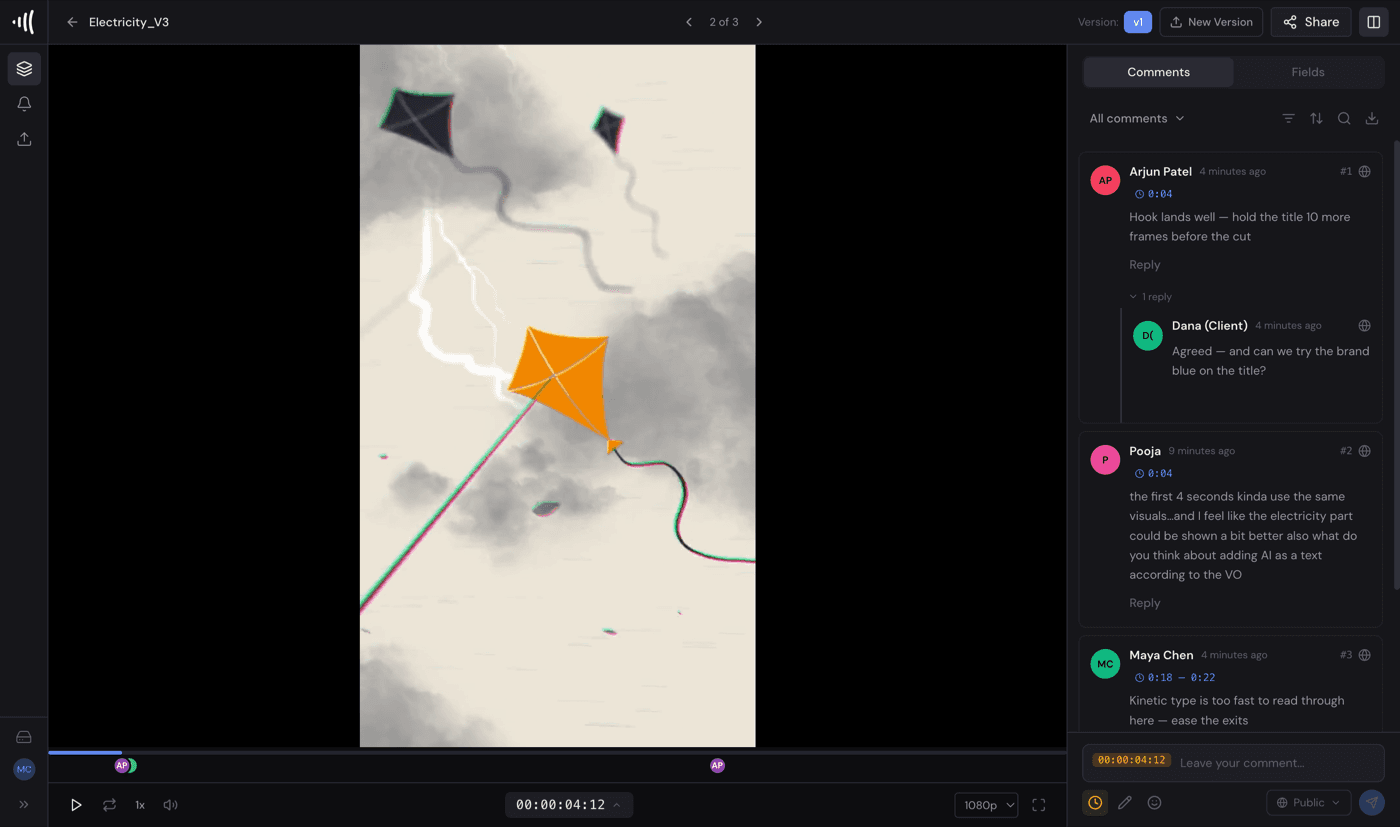
HLS adaptive streaming plays instantly at any resolution, with comments pinned to the exact frame.
Export comments to your NLE
DaVinci Resolve (marker EDL), Final Cut Pro (FCPXML), Premiere Pro (XML) or CSV.
Image and audio review
Annotate stills and hear exactly where a note lands with waveform visualization.
Drawing annotations
Draw arrows, shapes or freehand directly on any frame, right where the note applies.
Threaded comments
Mentions, reactions and attachments keep a conversation in context, not scattered across email.
Approval workflows
Per-reviewer status tracking, so everyone can see who has signed off and who has not.
Version compare
Put any two versions side-by-side or under a wipe slider, each with its own comments and annotations.
Folder organization
Keep projects tidy with folders, not one long flat list of files.
Team collaboration
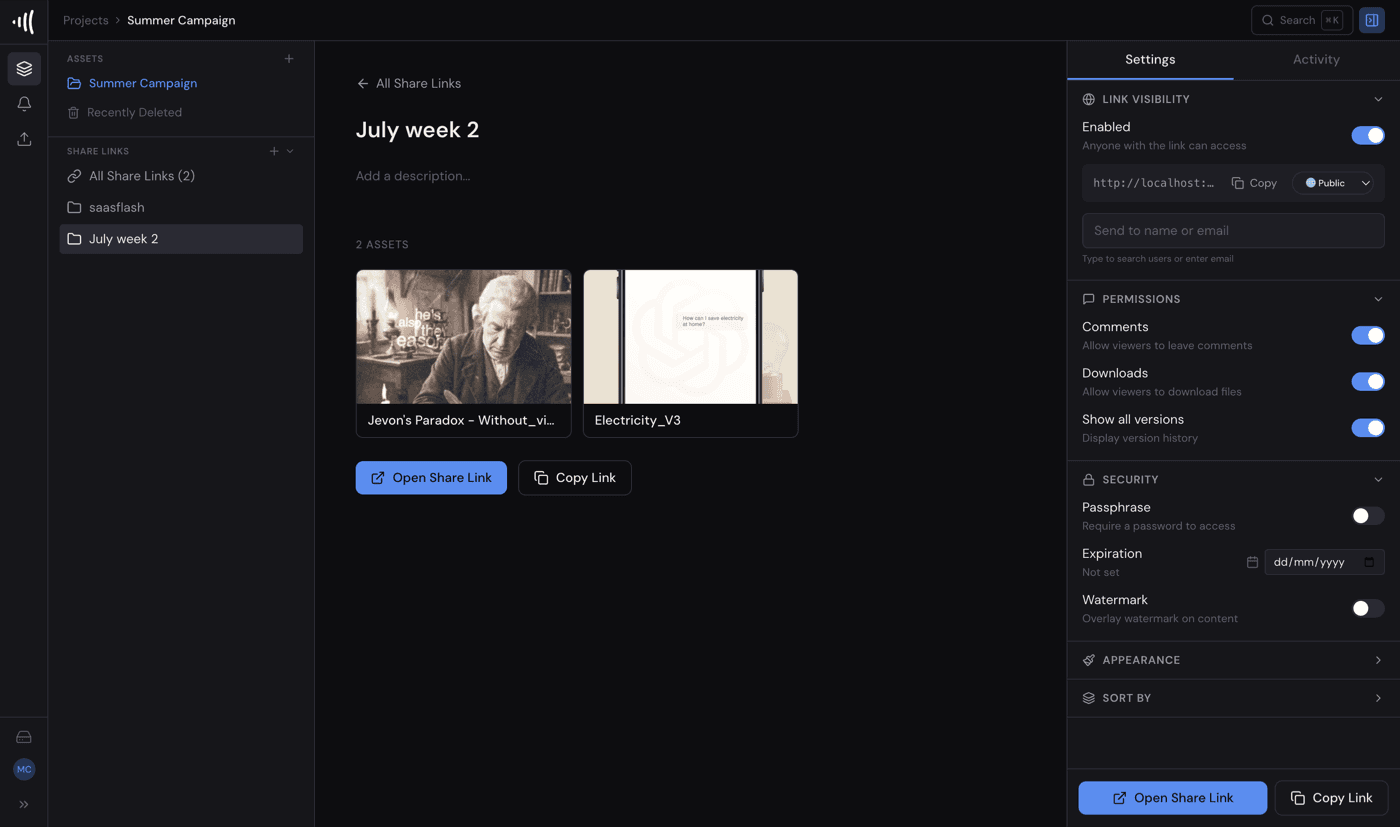
Role-based permissions at the organization and project level, plus separate view, comment and approve permissions on every share link.
Share links
Password-protected, expiring links for reviewers outside your organization.
Guest commenting
Reviewers comment straight from a share link. No account required.
Due date tracking
Set a deadline and FreeFrame flags it as due soon in your notifications and asset lists.
Real-time updates
New comments and status changes appear live, over Server-Sent Events.
Per-project branding
Give each project its own logo and accent colour, plus a custom footer, on the share links your clients open.
Self-hosted
Runs on any server or cloud VM with a single Docker Compose file.
Share with clients: no accounts needed
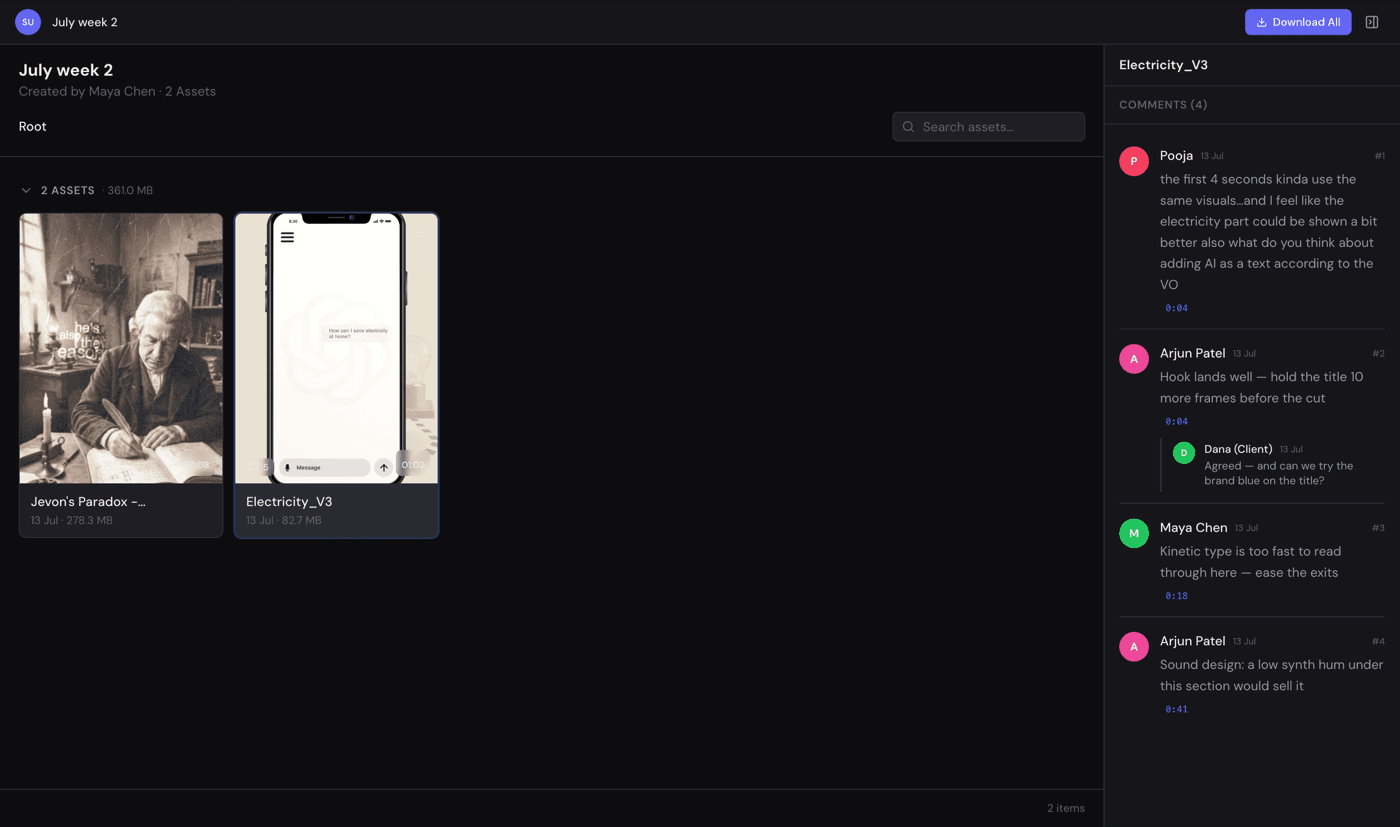
Send a link; clients review and comment without signing up. You control every link: comment and download permissions, passphrase, expiration date, and watermarking.
Brand it per client, not just per account
Every project can carry its own logo, accent colour and custom footer on the share links your clients open. Run five different clients out of one workspace, and each one sees only their own brand. Never yours, and never another client's.
Not shipped yet, on the way
Nothing below is available on any plan today, self-hosted or hosted.